Table of Contents
Introduction
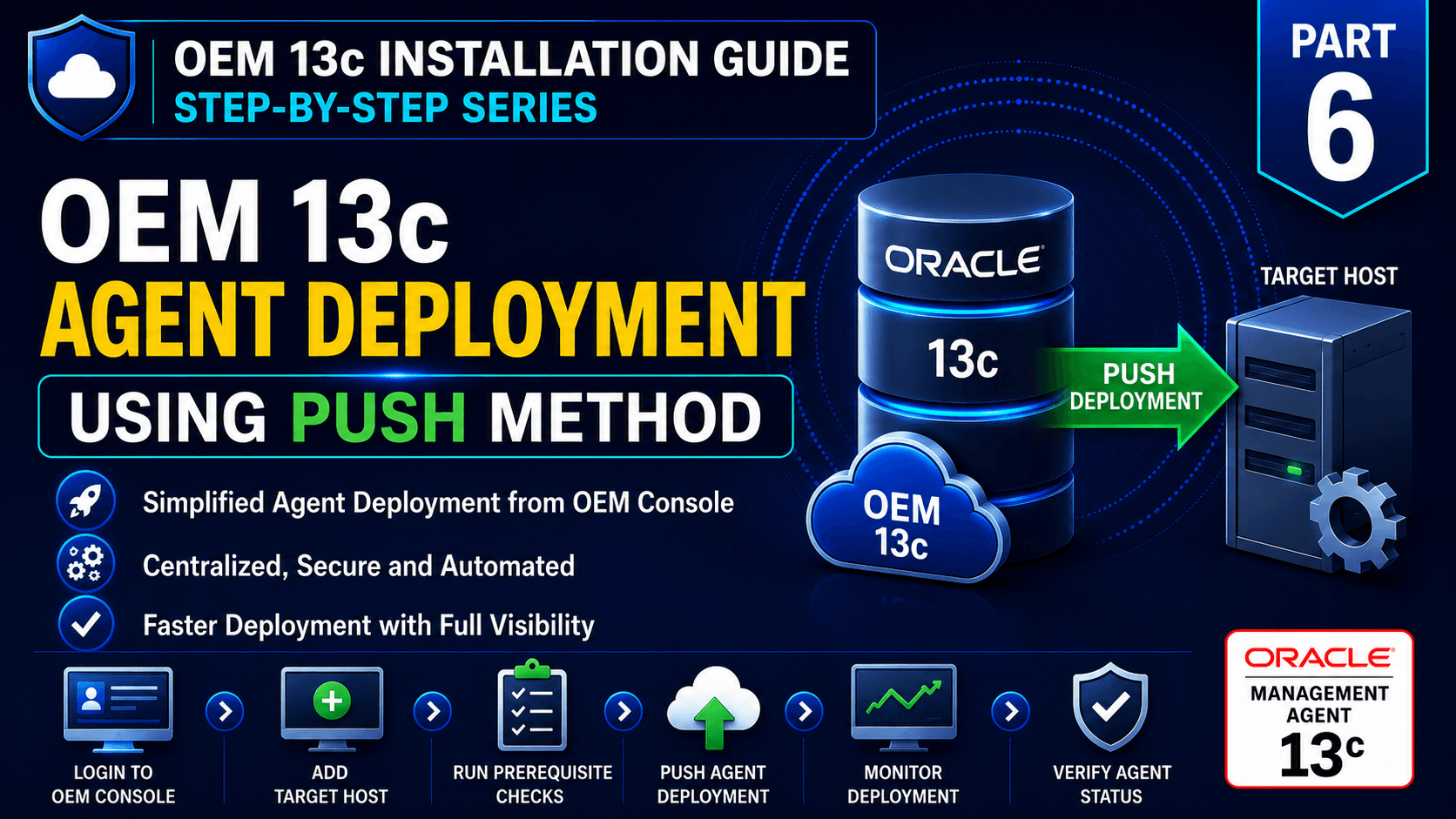
OEM 13c Agent Deployment Using Push Method is one of the most efficient ways to deploy Oracle Management Agents directly from the Oracle Enterprise Manager Cloud Control Console. This approach allows administrators to centrally deploy, configure, and manage agents across multiple target hosts without manually downloading or installing the agent software on each server.
If you are looking for the manual deployment approach using Enterprise Manager Command Line Interface (EMCLI), you can first read our previous article.
OEM 13c Agent Deployment Using Pull Method
In this article, we will focus on the Push Method, where the Oracle Management Server (OMS) remotely deploys and configures the Oracle Management Agent on the target host using SSH connectivity. We will cover prerequisite validation, DNS and hostname resolution, SSH user configuration, agent deployment from the OEM Console, deployment monitoring, and post-installation verification.
By the end of this guide, you will have a fully configured Oracle Management Agent capable of securely communicating with the Oracle Management Server (OMS) and monitoring Oracle databases, listeners, hosts, and other enterprise targets through Oracle Enterprise Manager 13c Cloud Control.
Before proceeding with the OEM 13c Agent Deployment Using Push Method, ensure the following components are available and properly configured.
Note – Before proceeding, ensure the following components are available:
Oracle Linux 8.10 Installation Guide
Oracle Database 19c Software Installation Guide
Oracle 19c Database Creation Using DBCA
Oracle Enterprise Manager 13c Installation Guide
Oracle Enterprise Manager 13c Cloud Control Installation
External References:
Oracle Enterprise Manager Cloud Control Documentation
Prerequisites
1. Forward DNS Resolution Configured
2. Reverse DNS Resolution Configured
3. OMS Can Resolve Target Hostname
4. Target Host Can Resolve OMS Hostname
5. SSH Connectivity Available Between OMS and Target Host
6. OMS Status is Healthy.
7. WebTier, JVMD Engine is Running
8. Agent Registration Password is Configured
9. OMS Upload Port is Reachable from Target Host
10. Required Firewall Ports Open
After validating the above prerequisites, proceed with the Push Agent Deployment using the Oracle Enterprise Manager Cloud Control Console.
OEM 13c Agent Deployment Using the Push Method
Step 1) Log in to Oracle Enterprise Manager Cloud Control
Log in to the OEM 13c Cloud Control Console using the SYSMAN account or a user with appropriate deployment privileges. All agent deployment activities will be performed from the OEM Console.
Step 2) Verify Hostname Resolution
Before deploying the Management Agent, ensure that both the OMS server and target host can resolve each other's hostname through DNS or the hosts file. Proper hostname resolution is mandatory for successful agent communication.
Step 3) Verify SSH Connectivity
The Push Method uses SSH to remotely deploy and configure the Management Agent on the target server.
Step 4) Add Target Host
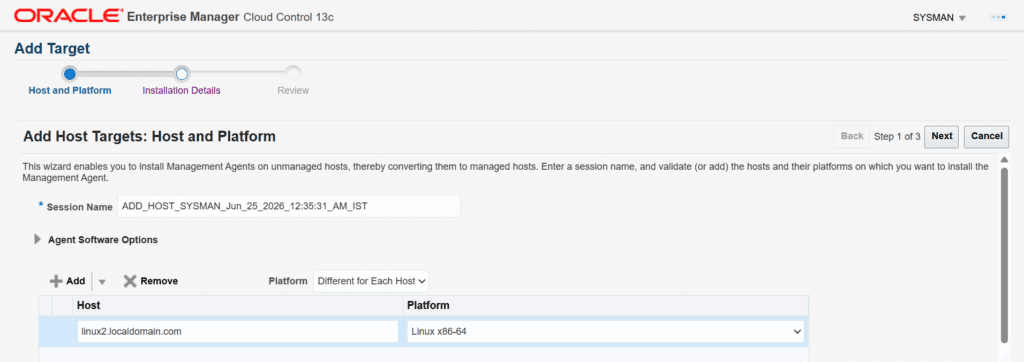
Enter the hostname of the target server where the Management Agent will be deployed.
Setup → Add Target → Add Targets Manually

Select:

Add Host Targets → Install Agent on Host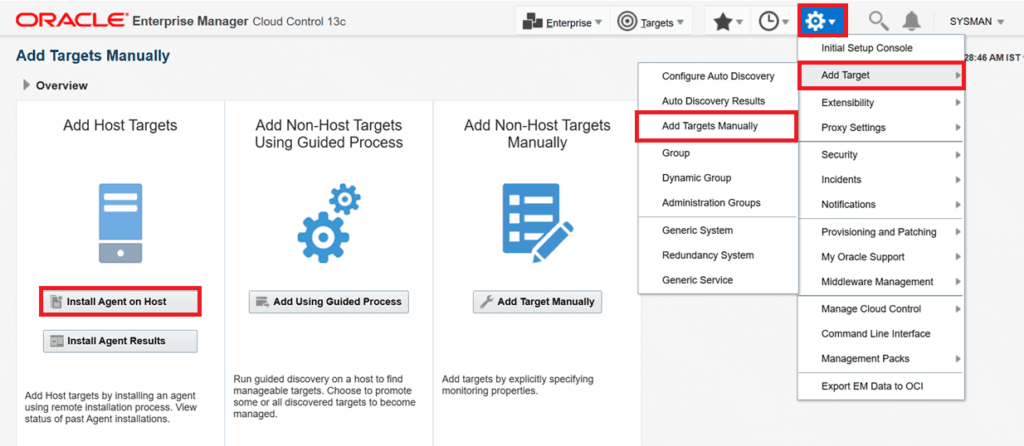
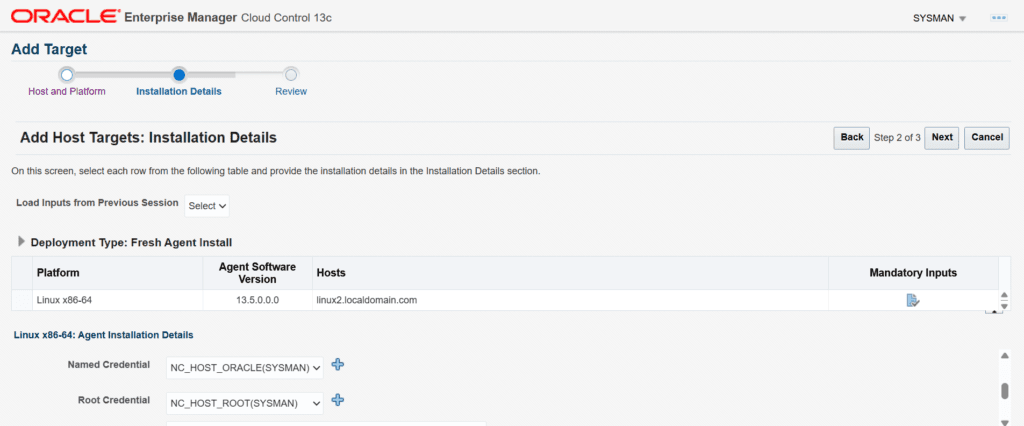
Step 5) Provide Deployment Details
Specify the Target details, then proceed.
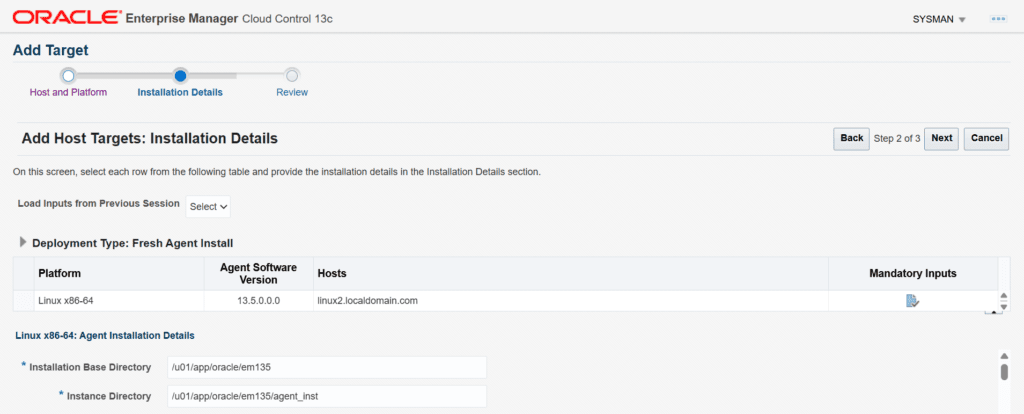
Named Credentials
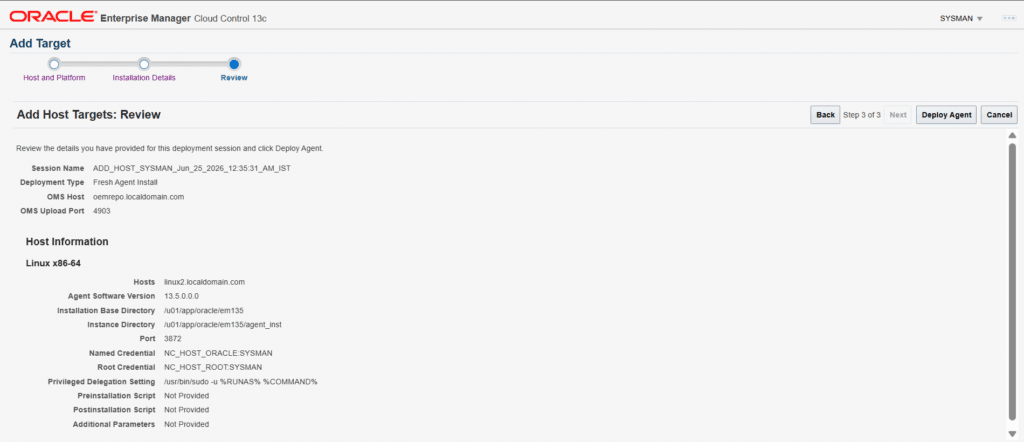
Summary
Once all looks good, click on Deploy Agent
Step 6) Deploy the Management Agent
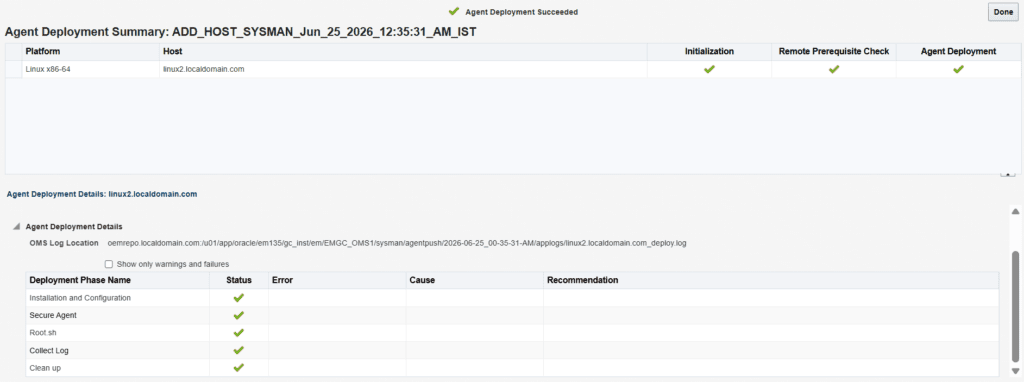
Once you click on Deploy the agent, the installation will initiate.
OEM will –
1. Transfer Agent Software
2. Install the Agent
3. Configure Agent Components
4. Register the Agent with OMS
5. Secure Communication Channels
Step 7) Verify Agent Status
After deployment completes, validate that the agent is running and uploading data to OMS.
From the target server –
emctl status agent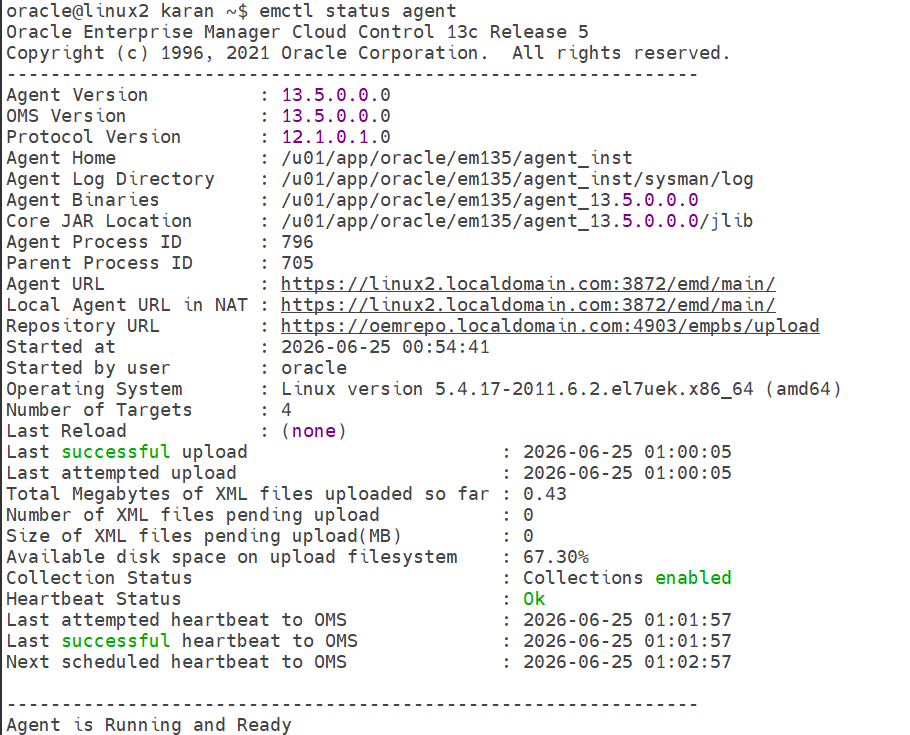
Step 8) Validate Agent Availability in OEM
Navigate to:
Targets → Hosts
At this stage, the Oracle Management Agent deployment is complete, and the host is ready for target discovery and monitoring.
Conclusion
In this article, we successfully completed the OEM 13c Agent Deployment Using Push Method by deploying the Oracle Management Agent directly from the Oracle Enterprise Manager Cloud Control Console. We covered the complete deployment workflow, including prerequisite validation, hostname and DNS configuration, SSH connectivity verification, preferred credential configuration, agent deployment, and post-installation validation.
After completing the OEM 13c Agent Deployment Using Push Method, the Management Agent is ready to communicate securely with the Oracle Management Server (OMS), collect performance metrics, upload monitoring data, and support centralized management of enterprise targets.
In the next article, we will explore Discovering and Monitoring Targets in OEM 13c, where we will add and monitor Oracle Databases, Listeners, Hosts, and other supported targets using the deployed Management Agent.
📚 OEM 13c Installation Guide Series
✅ Part 1 – Oracle Linux 8.10 Installation
✅ Part 2 – Oracle Database 19c Software and Database Installation
✅ Part 3 – Preparing the OEM Repository Database
✅ Part 4 – Oracle Enterprise Manager 13c Cloud Control Installation
✅ Part 5 – OEM 13c Agent Deployment Using Pull Method
✅ Part 6 – OEM 13c Agent Deployment Using Push Method (Current Article)
⏳ Coming Next:
Part 7 – Discovering and Monitoring Targets in OEM 13c
👉 View Complete OEM 13c Installation Guide