Table of Contents
Introduction
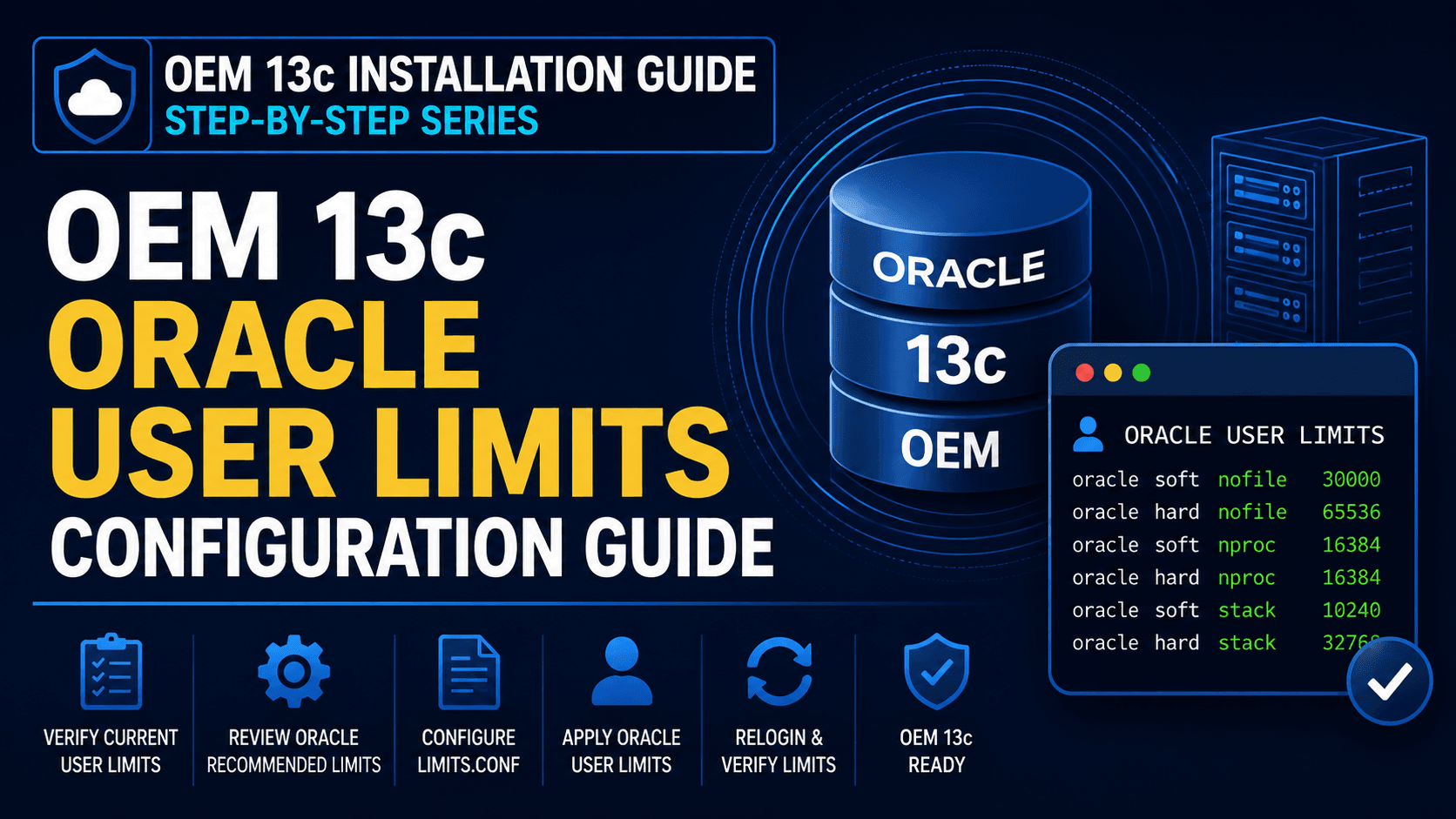
OEM 13c Oracle User Limits Configuration should be verified before starting the Oracle Enterprise Manager 13c Cloud Control deployment. Incorrect operating system resource limits can cause prerequisite validation failures and may impact OMS installation and operation.
Oracle recommends configuring appropriate user limits for the Oracle software owner account to ensure sufficient access to processes, open files, and system resources. In this guide, we will verify the current Oracle user limits and configure the recommended values required for OEM 13c installation on Oracle Linux.
In this guide, we will verify and configure the recommended OEM 13c Oracle User Limits Configuration required for a successful OEM 13c deployment on Oracle Linux.
Note – This article focuses on configuring Oracle User Limits required for Oracle Enterprise Manager 13c installation.
Before proceeding, ensure the following components are already configured:
Oracle Linux 8.10 Installation Guide
Oracle 19c Database Creation for OEM 13c Using DBCA
Preparing the OEM Repository Database for OEM 13c Installation
How to Verify Required OS Packages for OEM 13c Installation
OEM 13c Cloud Control Installation Guide
Oracle Enterprise Manager certification details and installation requirements can be reviewed through the Oracle Enterprise Manager documentation before starting the deployment.
After configuring the Oracle user limits, return to the OEM 13c Cloud Control Installation Guide and continue with the remaining prerequisite checks.
Step 1) Verify Current Oracle User Limits
ulimit -a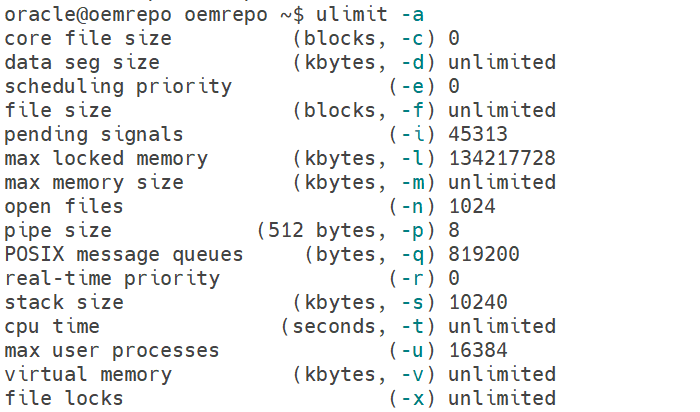
Step 2) Review Oracle Recommended Limits
You can also review the Oracle recommended limits before proceeding further with the next step.
Step 3) Configure Limits.conf
vi /etc/security/limits.d/oracle-database-preinstall-19c.confNote – In Oracle Linux 8, Oracle user limits are commonly configured through /etc/security/limits.d/oracle-database-preinstall-19c.conf when the oracle-database-preinstall-19c package is used. Always verify this file before updating Oracle user limit settings manually.
Step 4) Configure Oracle User Resource Limits
oracle soft nofile 30000
oracle hard nofile 65536
oracle soft nproc  16384
oracle hard nproc  16384
oracle soft stack  10240
oracle hard stack  32768
oracle hard memlock 134217728
oracle soft memlock 134217728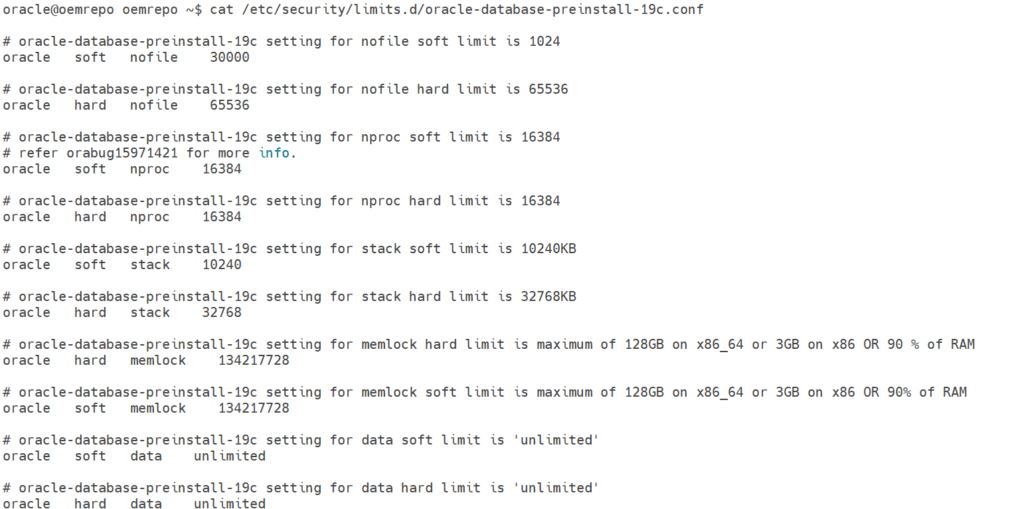
Conclusion
In this guide, we successfully understood the OEM 13c Oracle User Limits Configuration Guide and verified that the Oracle software owner account has the required operating system resource limits. Proper configuration of nofile, nproc, and stack parameters helps prevent installation failures and ensures that Oracle Enterprise Manager 13c components can access the necessary system resources. The server is now ready for the next phase of the OEM 13c prerequisite validation process.